
| 일 | 월 | 화 | 수 | 목 | 금 | 토 |
|---|---|---|---|---|---|---|
| 1 | 2 | 3 | 4 | |||
| 5 | 6 | 7 | 8 | 9 | 10 | 11 |
| 12 | 13 | 14 | 15 | 16 | 17 | 18 |
| 19 | 20 | 21 | 22 | 23 | 24 | 25 |
| 26 | 27 | 28 | 29 | 30 | 31 |
- helm
- github action 사용법
- 쿠버네티스 컴포넌트
- 그라파나 시각화
- Kubernetes
- jenkins
- headless service
- SAA 합격 후기
- LoadBalancer Controller
- Kubernets on Jenkins
- 그라파나 대시보드
- Firelens
- grafana on kubernetes
- 솔데스크
- terraform
- kubernetes 동작 원리
- 딥레이서
- 쿠버네티스
- Solution Architecture
- Prometheus install
- 로드밸런서 컨트롤러
- 메탈LB
- EFS CSI Driver
- EKS 클러스터
- 깃허브 액션
- 딥레이서 보상함수
- livenessPorbe
- AWS 딥레이서
- Aurora cluster
- blue-green
mingming
Jenkins Blue/Green Deployment 본문
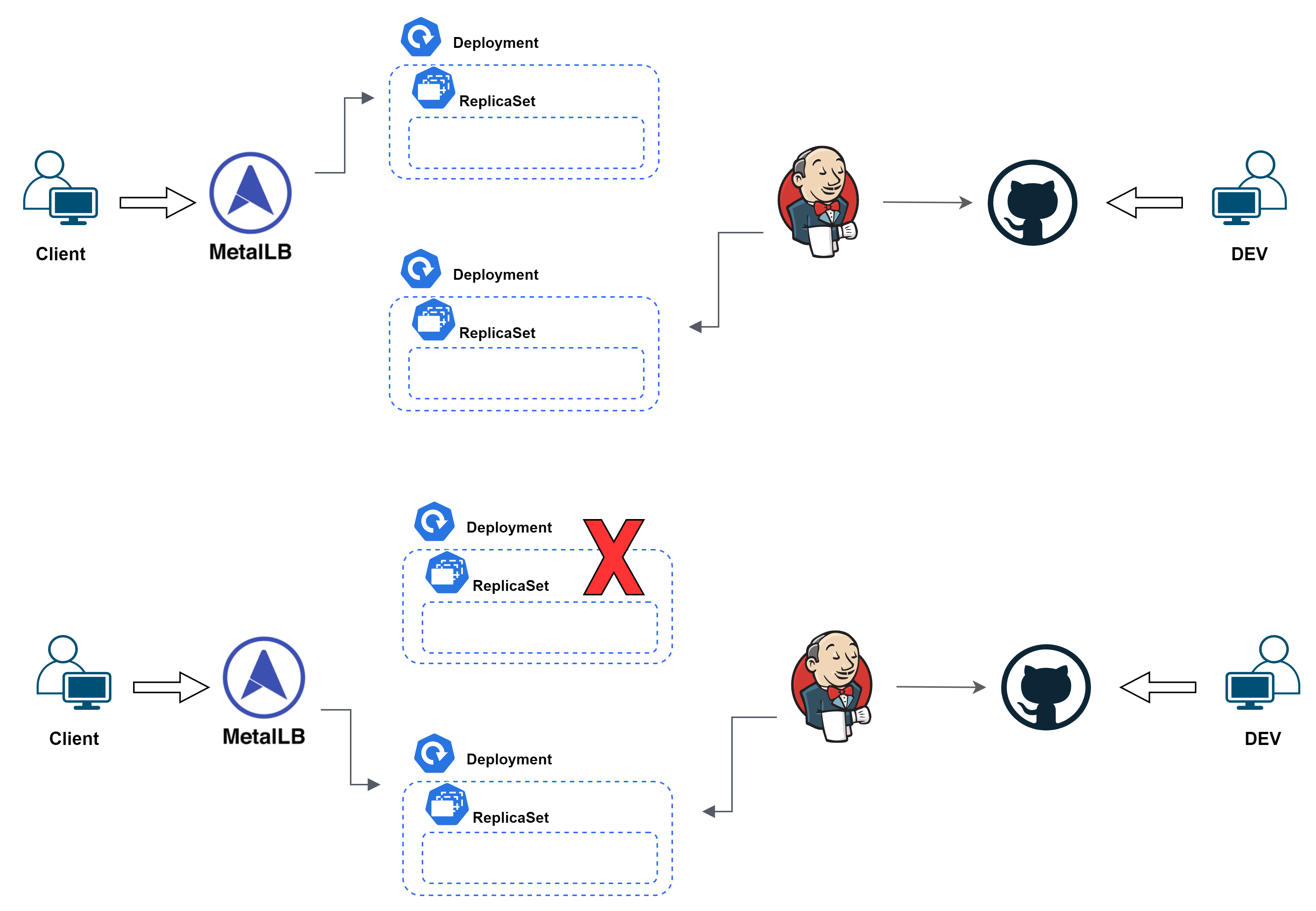
Blue/Green Deploy on Jenkins
2 개의 Deployment를 생성하고 기존에 블루 Deployment에 계속 트래픽을 전달하다 Green 배포가 끝나면 모든 서비스를 Green으로 넘깁니다. 기존의 Blue Deployment를 삭제합니다.
배포를 위한 Deployment를 생성해야 하기 때문에 2배 이상의 리소스가 필요하지만 장애복구가 용이하고, 무중단 배포가 가능하다는 장점이 있습니다.
DIR - service
Jenkinsfile
pipeline {
  agent {
    kubernetes {
      yaml '''
      apiVersion: v1
      kind: Pod
      metadata:
        labels:
          app: blue-green-deploy
        name: blue-green-deploy
      spec:
        containers:
        - name: kustomize
          image: sysnet4admin/kustomize:3.6.1
          tty: true
          volumeMounts:
          - mountPath: /bin/kubectl
            name: kubectl
          command:
          - cat
        serviceAccount: jenkins
        volumes:
        - name: kubectl
          hostPath:
            path: /bin/kubectl
      '''
    }
  }
  stages {
    stage('git scm update'){
      steps {
        git url: 'https://github.com/IaC-Source/blue-green.git', branch: 'main'
      }
    }
    stage('define tag'){
      steps {
        script {
          if(env.BUILD_NUMBER.toInteger() % 2 == 1){
            env.tag = "blue"
          } else {
            env.tag = "green"
          }
        }
      }
    }
    stage('deploy configmap and deployment'){
      steps {
        container('kustomize'){
          dir('deployment'){
            sh '''
            kubectl apply -f configmap.yaml
            kustomize create --resources ./deployment.yaml
            echo "deploy new deployment"
            kustomize edit add label deploy:$tag -f
            kustomize edit set namesuffix -- -$tag
            kustomize edit set image sysnet4admin/dashboard:$tag
            kustomize build . | kubectl apply -f -
            echo "retrieve new deployment"
            kubectl get deployments -o wide
            '''
          }
        }
      }
    }
    stage('switching LB'){
      steps {
        container('kustomize'){
          dir('service'){
            sh '''
            kustomize create --resources ./lb.yaml
            while true;
            do
              export replicas=$(kubectl get deployments \
              --selector=app=dashboard,deploy=$tag \
              -o jsonpath --template="{.items[0].status.replicas}")
              export ready=$(kubectl get deployments \
              --selector=app=dashboard,deploy=$tag \
              -o jsonpath --template="{.items[0].status.readyReplicas}")
              echo "total replicas: $replicas, ready replicas: $ready"
              if [ "$ready" -eq "$replicas" ]; then
                echo "tag change and build deployment file by kustomize"
                kustomize edit add label deploy:$tag -f
                kustomize build . | kubectl apply -f -
                echo "delete $tag deployment"
                kubectl delete deployment --selector=app=dashboard,deploy!=$tag
                kubectl get deployments -o wide
                break
              else
                sleep 1
              fi
            done
            '''
          }
        }
      }
    }
  }
}
agent : kustomize 명령어를 사용할 수 있는 Pod를 생성 후 agent로 이용합니다.
stage('git scm Update') : source code git 주소를 정의합니다.
stage('deploy configmap and deployment') : config map 배포 및 kustomize
stage('switching LB') : 만약 현재 배포가 완료되어 있다면 새로운 태그를 붙인 후 kustomize build에 정의 된 리소스를 배포합니다. 이전 버전의 배포를 삭제합니다.
DIR - deployment
configmap.yaml
apiVersion: v1
kind: ConfigMap
metadata:
  name: dashboard-configmap
  labels:
    app: dashboard
data:
   web.conf: |-
    server {
      add_header Cache-Control no-store;
      listen 80;
      location / {
        root /public;
        index index.html;
        try_files $uri $uri/ /index.html;
      }
      access_log /log/access.log;
      location /api {
        default_type application/json;
        return 200 '{"name":"Blue-Green"}';
      }
    }
nginx 의 환경설정 파일을 정의하고 있습니다.
deployment.yaml
apiVersion: apps/v1
kind: Deployment
metadata:
  name: pl
  labels:
    app: dashboard
spec:
  selector:
    matchLabels:
      app: dashboard
  replicas: 3
  template:
    metadata:
      labels:
        app: dashboard
    spec:
      containers:
      - name: dashboard
        image: sysnet4admin/dashboard
        imagePullPolicy: Always
        volumeMounts:
        - name: config-volume
          mountPath: /etc/nginx/conf.d/
        - name: log-volume
          mountPath: /log
        ports:
        - containerPort: 80
      volumes:
        - name: config-volume
          configMap:
            name: dashboard-configmap
        - name: log-volume
          emptyDir:
            {}
configMap을 볼륨으로 마운트합니다.
pipeline 생성
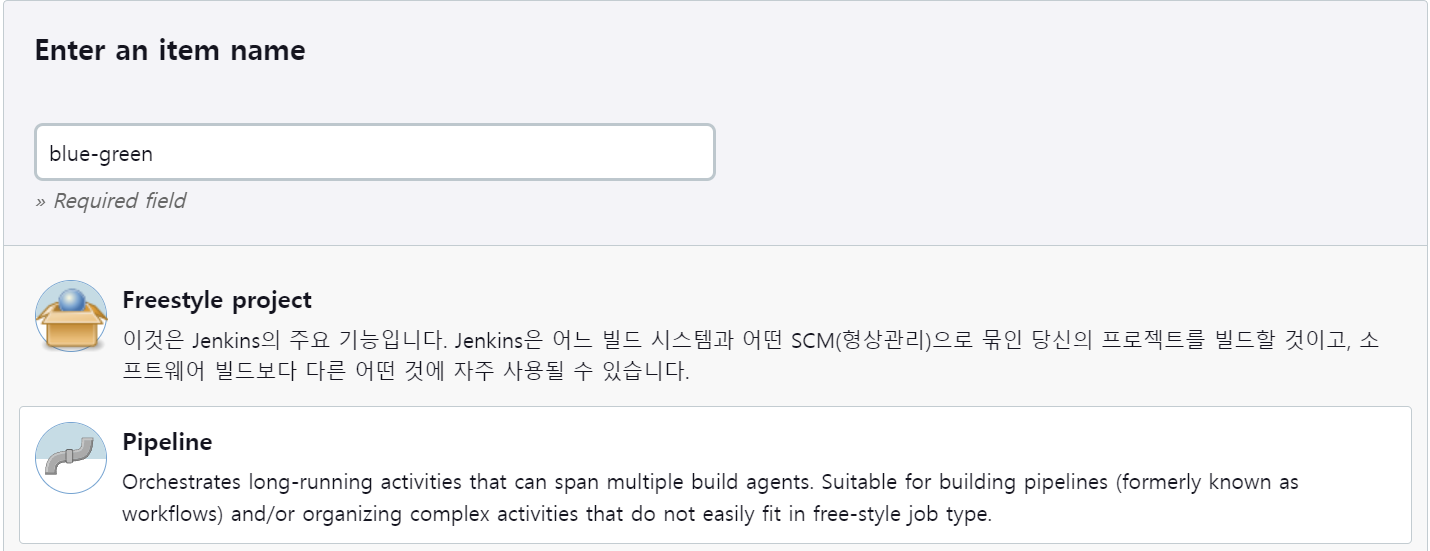
1. Pipeline 형식으로 새로운 item을 생성합니다
2. SCM 설정
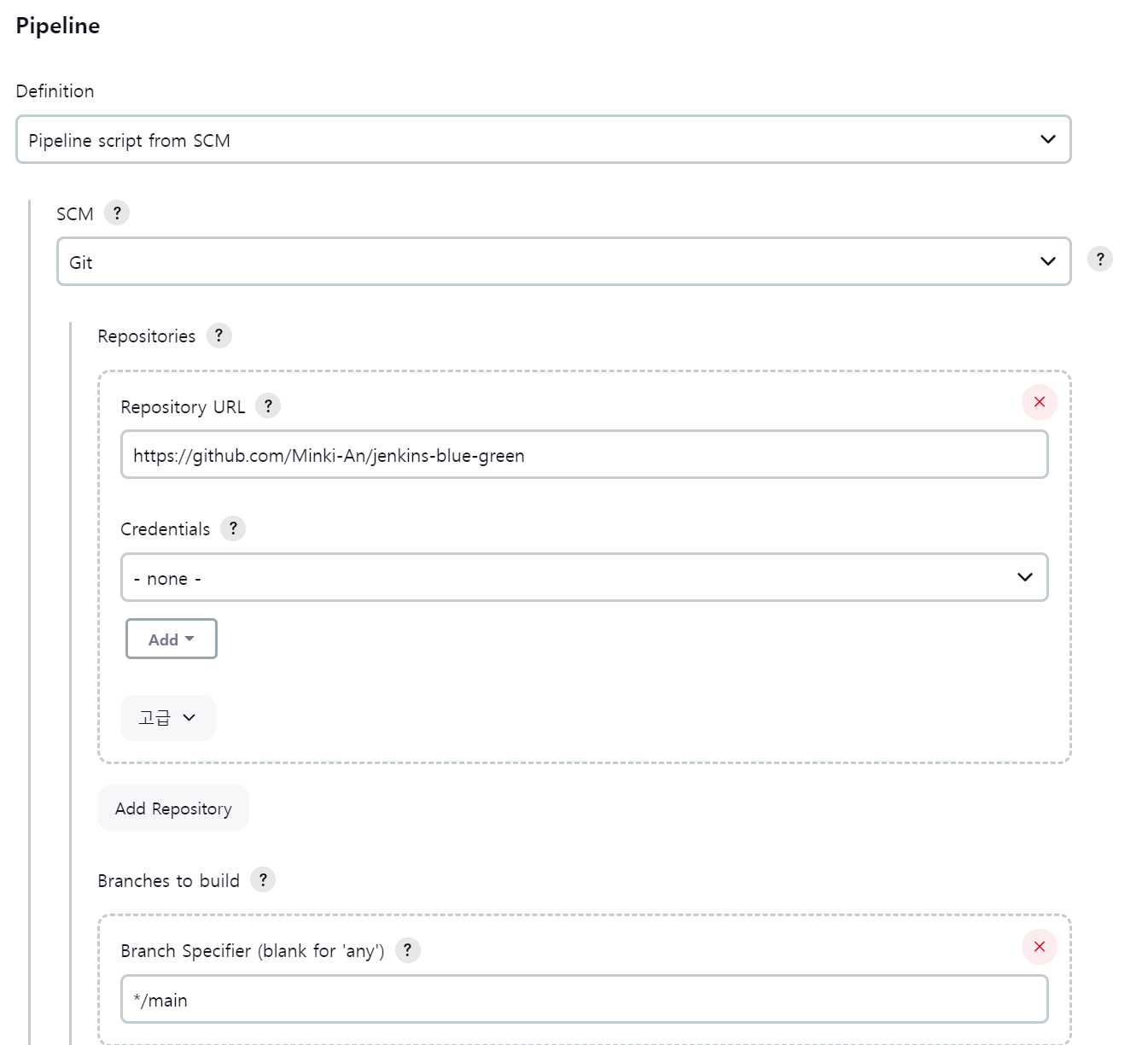
https://github.com/Minki-An/jenkins-blue-green
GitHub - Minki-An/jenkins-blue-green
Contribute to Minki-An/jenkins-blue-green development by creating an account on GitHub.
github.com
Blue Deploy
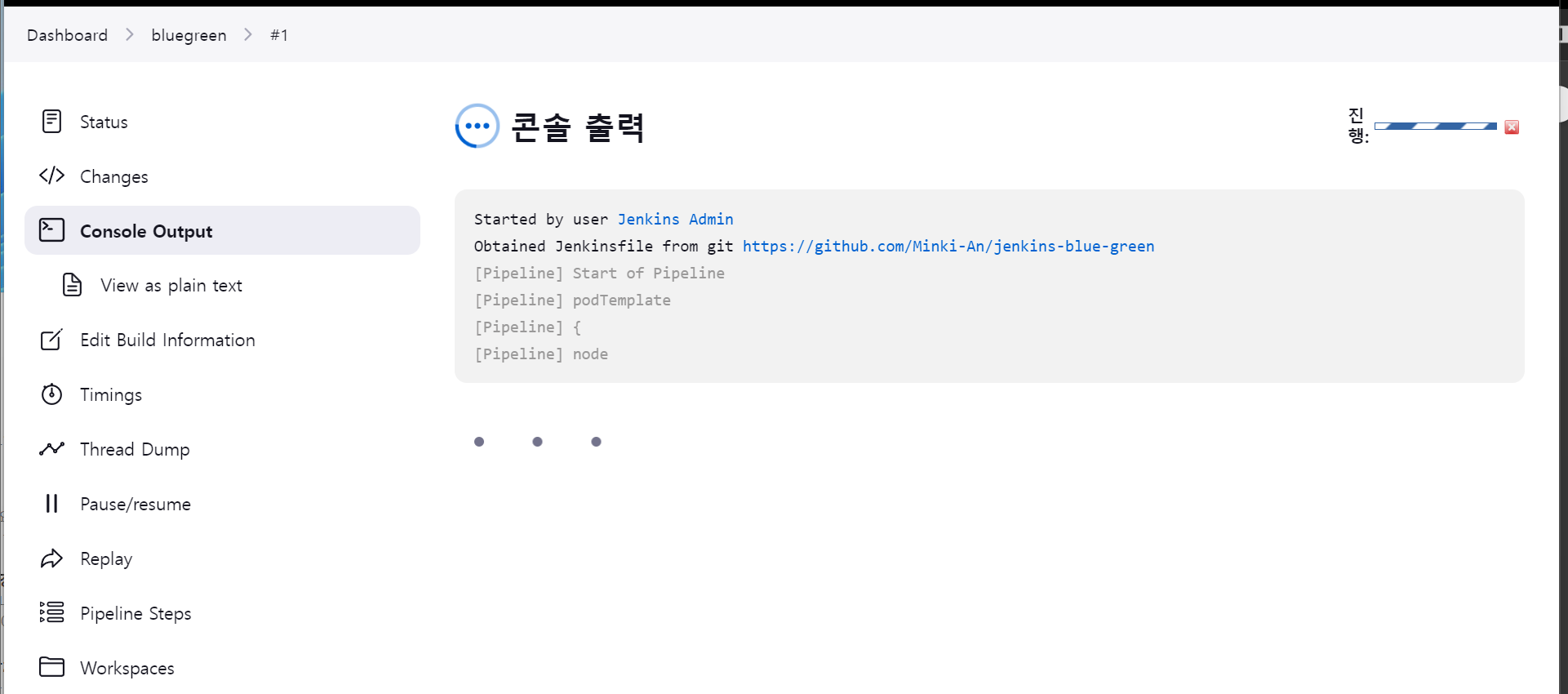
Jenkinsfile에 정의된 대로 blue 태그가 붙은 pods가 생성됩니다.
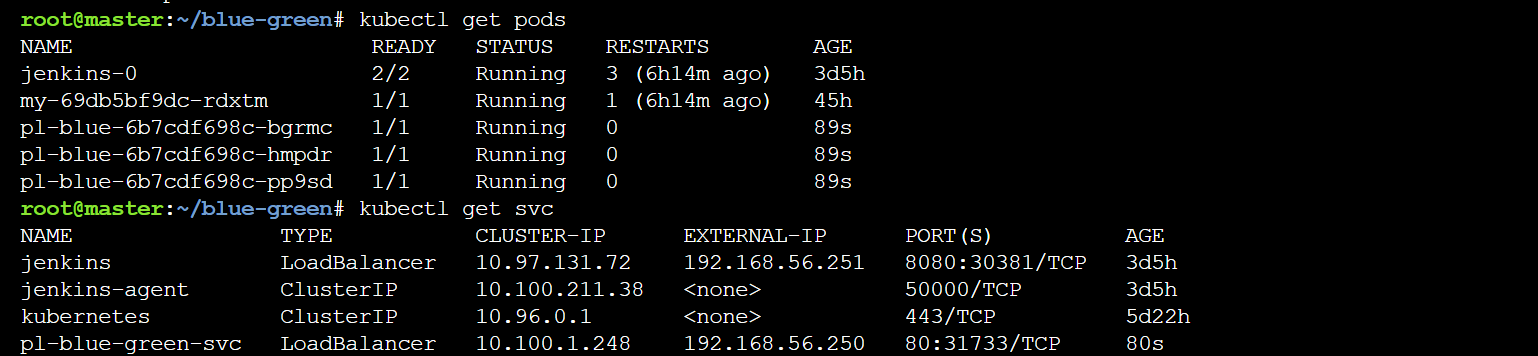
Metal LB로 접속해 결과를 확인해 줍니다. kustomize에 의해 blue 이미지를 태그를 가진 파드가 생성됩니다.

Green Deploy
다시 한번 빌드 시작해 줍니다.

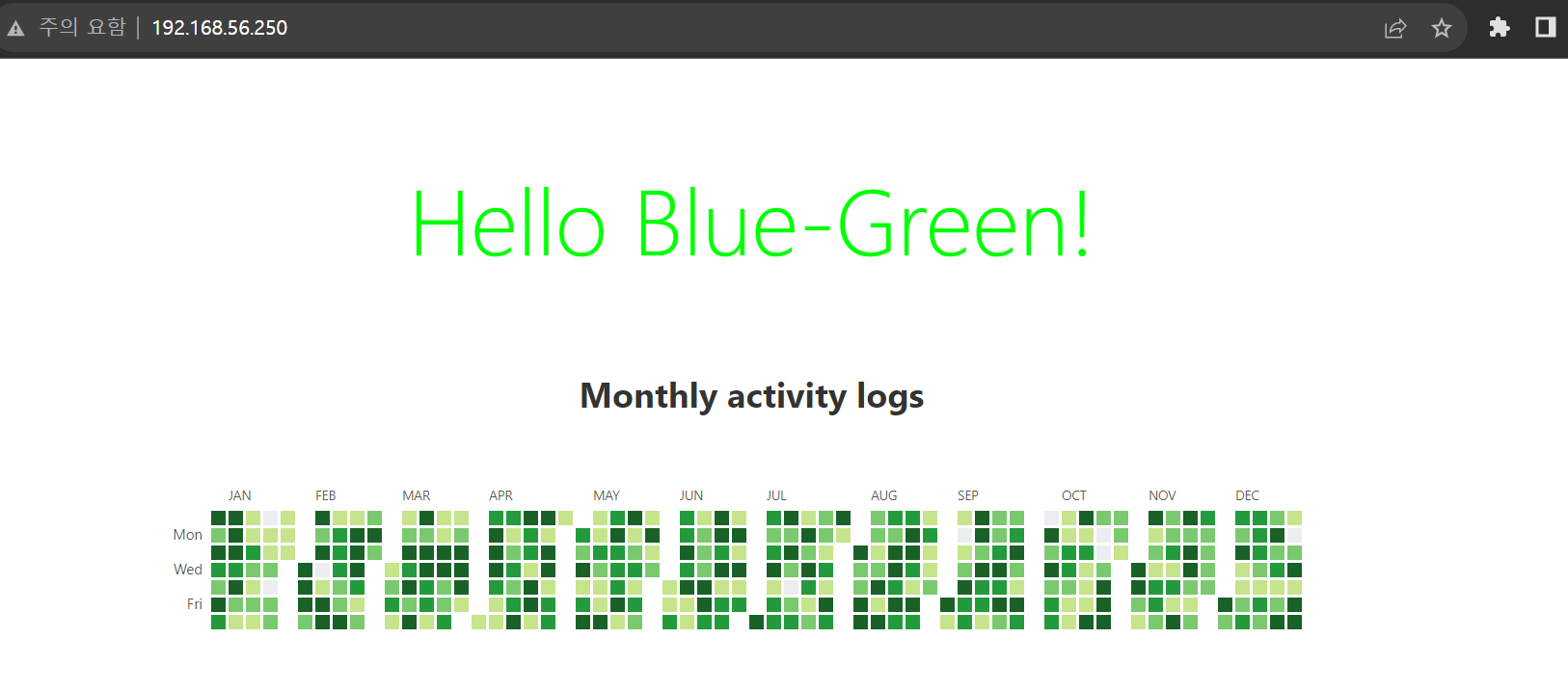
green tag가 붙은 pods가 생성됩니다.

Metal LB로 접속해 결과를 확인해 줍니다. kustomize에 의해 green이미지로 파드가 생성되었습니다.
'DevOps' 카테고리의 다른 글
| Jenkins + ArgoCD CI/CD Pipeline 구축(2) - Kustomize, ArgoCD (1) | 2024.02.07 |
|---|---|
| Jenkins + ArgoCD CI/CD Pipeline 구축(1) - Jenkins (0) | 2024.02.04 |
| Jenkins 메뉴 소개 (2) | 2023.09.11 |
| jenkins on kubernetes (0) | 2023.09.10 |
| Github Action ArgoCD CI/CD 파이프라인 구축 (2) - Kustomize , ArgoCD (0) | 2023.08.12 |


